HOW TO USE MOBILE CAMERA AS PC WEBCAM FOR BOTH ANDRIOD AND SYMBIAN

How to use Mobile Camera as PC Webcam - Android - Symbian

Online chatting has been redefined with the video chat technology and more and more webcams are taking birth introducing new and vast technology, well but side by side webcams are somewhat expensive and can do only one task live streaming you to your friends and family members. Well if you wanna save your money and side by side want the same webcam experience, you can convert your mobile camera into PC webcam with small apps and tools easily.
Well we have three best options tat work universally on every platform, so we are going to use Smartcam as our first source, Mobiola web camera and the second source and the third one is specifically for android that’s iP webcam.

#1. Smartcam Package :

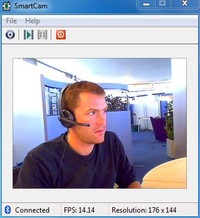
Smartcam Package simply provides an easy to install option for your all devices, Symbian, Android, iPhone and connect them as a webcam for your pc.
  1. Download Smartcam Package and extract it in your pc, it’s a simple zip package so just right click and choose extract.
  2. Now it contains a .exe file for your computer and applications for your android device, Symbian device and iPhone. You can use the one in package or you can download them online for newer versions.
  3. Now after you have installed on both devices just fire it up using Bluetooth or USB connectivity and follow instructions and you will be live streaming your mobile camera video as PC webcam.

#2. Mobiola Web Camera :

Mobiola Web camera is available for iOS Devices, Blackberry, Symbian but its nor free and you have to pay little cost to get that app running.
  1. Purchase Mobiola Web Camera software or download as trial version.
  2. Now juts install app on your device after purchasing their device application.
  3. That’s it now follow instructions and start chatting with your friends.



#3. iP Webcam for Android Devices :

iP Webcam for Android is simple application fro converting your Android Device into a wireless PC Webcam. This free application can be installed right into your pc and can used just by a simple iP (internet protocol address).
  1. Download iP Webcam Android App.
  2. Install the application on your phone and connect to the same Wi-Fi network connected to your PC.
  3. Now just follow the instruction on your app and you will be able to connect your device camera with your PC and use it as a webcam.


So now these were the three easy options of converting your device camera into a simple and free PC webcam. So no investment but still the same fun of video chatting is continued. Have fun and do comment

THANKS TO Rishabh Jain FOR COMPILING THIS TUTORIAL....

HOW TO TRACK AND FIND YOUR LOST STOLEN PHONE (F-SECURE ANTI THEFT)

Anti-Theft mobile application from F-Secure protects your mobile from getting lost or getting stolen. The best part about this application is that its totally free to download officially from F-Secure. So its extremely easy to install you just need to download it to your PC and then transfer it to your mobile or you can directly download it on your mobile by going to http://f-secure.mobi if you wanna download it on your PC according to your mobile phone version you can download this application from here.

Originally written by Rishabh Jain of hackyshacky

Comment below


HOW TO RESOLVE BB App Error 523

How to flash/ repair App Error 523 Reset

             1.  Download and Install Blackberry Desktop Manager Software.
             Download link :-

            2. Download and install a Blackberry Device Software.
Download from here:

                 3.Install Blackberry Device Software Software.
         Go to
     C:\Program Files\Common Files\Research In Motion\AppLoader
And delete vendor.xml  file.
Please note: This file vendor.xml generate when new data package install (Blackberry Device Software).

     4. Open Loader.exe (For Vista/7 please Run as Administrator).

              5. Connect your BB device to usb port.

                  6. Select as per your requirement

 7.For working phone upgradation select first option.
Automatically back up device. 

 8. For App Error 523 Reset Error, select second option.
Do not automatically backup device.

If the Post was helpful don't fail to hit the like button....Or give us a comment below

LEARN BASIC KEY LOGGER TECHNIQUES


How it's DoneBest Free Keylogger (BFK) is a small piece of software that will record all your keystrokes and screens.
Perform this Hack
Go to www.sourceforge.net/projects/bfk. Select Download to download and run bfk.exe. During installation, select the defaults. Once you’ve installed the program, BFK will pop up the settings dialog. Take note of the default hotkey Ctrl+Shift+B, and click Start Logging. As soon as you hit the Start Logging key, the BFK software client will disappear from the screen.

 Open a browser, launch your e-mail service of choice, and type a message. Then press Ctrl+Shift+B, and BFK will pop back up. Click on the Logging tab, and then the View Report button. Everything you just did appears. Feel free to experiment with the screenshot functionality, which can be used for automatic screen captures.

Don’t forget to uninstall this program when you’re done. Since this is a friendly keylogger, you can remove it using Add/Remove Programs. The tools the bad guys put on your computer aren’t nearly as nice.


Prevent this HackBe wary of software that is delivered via e-mail. Merritt also suggests “never clicking a link in your e-mail to log into any bank account or site that might have personal information.” Type in the Web address yourself and ignore e-mail from people you don’t know. Also, make sure your virus protection is up to date on your computer and that it scans e-mail attachments. Spyware can also be sent via the browser, so make sure Internet Explorer security is up to date—or use Firefox.