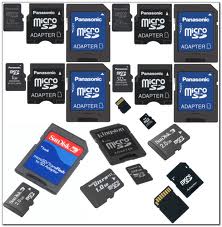
If you have a Nokia mobile phone S60, S40 edition etc. and you have
protected your memory card with passwordand forgotten.If one day
suddenly you restore your phone , after that you find that
your memory card is passwordprotected and shit ! You don’t know
the password and have some important files & data in that, what will
you do ? Don’t worry, I will show you the way by which you
can unlock memory card’s password. If that trick will not work then
sorry you can’t recover your memory card’s password & data but yes ,
I will tell you the other trick by which you can format
your memory card and at-least recover your memory card to reuse.
STEP 1
Install the X-plore application in your nokia phone.
STEP 2
Now start your X-plore
application and press 0(zero) button and select “show the system
files”.This will make the X-plore application to show your system files.
STEP 3
After completing the above step goto C:/Sys/Data/ MmcStore
STEP 4
Now press 3 button from
your keypad and you will see options.Now click on the Hex-viewer
option.This will make your phone to show files in hexadecimal.
STEP 5
Look at the 3 rd Column On the screen you will see a code like ! TMSD02G (c??”?x???6?2?6 ?2?6).
Note down the numbers present between the ?. This is your memory card password.Like in this example the password is 62626.
STEP 6
Now you can enter the password and view
your memory card files or you can reset your memory card password to a
more memorable password.
Remember you can gain access to C:/Sys/Data/ if and only if you have set a password on your memory card
OR
1. If you have a Nokia s60 1st & 2nd edition phone you can find
your memorycard’s forgotten password by following these steps:
- Download and Install FExplorer.
- Insert card into your s60 1st or 2nd edition phone but don’t access it through phone.
- Run FExplorer and Open the path C:system.
- You will find there a file named mmcstore , move this file to other location of your phone, rename the filemmcstore.txt
- Open the file in your phone or Copy that file(mmcstore.txt) to your pc and open that file in notepad.
- You will find your password in that file.
- By this way, you can unlock memory card and recover your memory card’s password.
2. Unlock Memory Card in Nokia s60 3rd edition:
While searching, I haven’t found any way to find password of Nokia
s60 3rd edition phones. But in some s60 3rd edition phones & almost
all E-series phones you can unlock your memory card by
remote lock option. Follow these steps:-
- Activate remote lock option by going to Tools ↪ Settings ↪ Security ↪ Phone and SIM ↪ Allow remote lock menu. The password of your memory card will be your remote lock message.
- Send an sms containing your remote lock message that will automatically change your memory cardpassword.
3. YOU CAN USE YOUR JAVA PHONE TO FORMAT THE MEMORY CARD


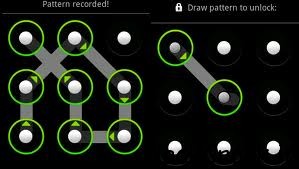 Today many android phone user use the inbuilt unlock pattern for give
security to there phones this is very easy to use but some time to take
many wrong attempts it locked permanently after that you need to enter
the user id you enter in the google play store to unlock phone but there
is some problems to unlock again if u stop data usage in your so it
can’t be connected with internet and then you cannot unlock phone
without this trick. sometime user needs to go to Samsung care center and
then give some money to unlock it again so this is costly you need to
pay here i gona give you a trick How To Unlock an Android Pattern Just follow these simple steps to unlock your phone and use again free of cost.
Today many android phone user use the inbuilt unlock pattern for give
security to there phones this is very easy to use but some time to take
many wrong attempts it locked permanently after that you need to enter
the user id you enter in the google play store to unlock phone but there
is some problems to unlock again if u stop data usage in your so it
can’t be connected with internet and then you cannot unlock phone
without this trick. sometime user needs to go to Samsung care center and
then give some money to unlock it again so this is costly you need to
pay here i gona give you a trick How To Unlock an Android Pattern Just follow these simple steps to unlock your phone and use again free of cost.


