WhatsApp Will Not Work on Nokia Symbian, BlackBerry OS Phones Starting June 30


If you are among those still using a dated software platform, then it’s time you start looking for alternatives of WhatsApp. As promised, WhatsApp will be ending support for BlackBerry OS, BlackBerry 10, Nokia S40, and Nokia S60 platforms on June 30. This step comes after the Facebook-owned brand decided in November to delay ending support for the ageing BlackBerry and Nokia software from December 2016 to June 2017. Support for Android 2.2 Froyo, iOS 6, and Windows Phone 7 was ended by WhatsApp in December last year.
The most widely used instant messaging app had last year announced that it will drop support for a few platforms. The company later extended the support until June 2017 after BlackBerry expressed its disappointment with WhatsApp’s decision to abandon the platform. WhatsApp gave the reasoning that the dated platforms don’t offer the kind of capabilities it needs to expand the app’s features in the future.

In its Support page, WhatsApp explains, “These platforms don’t offer the kind of capabilities we need to expand our app’s features in the future. If you use one of these affected mobile devices, we recommend upgrading to a newer OS version, or to a newer Android running OS 2.3.3+, iPhone running iOS 7+, or Windows Phone 8+ so that you can continue using WhatsApp.”

The Facebook-owned company has advised that anyone with the above-mentioned older platforms who want to keep chatting with friends via WhatsApp will need to upgrade to a newer operating system or a new device.
WhatsApp also clarifies that currently there’s no way users can transfer your chat history between platforms though the company will provide the option to send your chat history attached to an email, if requested by users. You can head to WhatsApp’s Support page to understand the steps.

WhatsApp had previously emphasised how much the market changed in the years since WhatsApp was launched in 2009. Recapping the market, the messaging service said that in 2009 Android and iOS platforms were running on less than 25 percent of the devices, while BlackBerry and Nokia’s operating systems dominated the market with roughly a 70 percent share. WhatsApp’s decision to pull the plug on Symbian and BlackBerry, however, recaps how the platforms have lost popularity.

Source: http://thinkur.com/whatsapp-will-not-work-on-nokia-symbian-blackberry-os-phones-starting-june-30/

GET FREE 500MB OR 1GB ON MTN NOW

Mtn is now rolling out this latest free offer of 500 Mb and 1 Gb data to most customers.

Note: This offer is not for all...But most sims are eligible

Dial *449# and select the data to check out your eligibility

Tested and Working for me # de1

Two Examples To Customize Blockquote Style In Blogger And WordPress

Blockquotes are usually used to indicate the quotation of a large section of text from external sources or highlight someone's quotes, thoughts in blog article.
Now day's every blogger started to using it on their blog to make blog article stand out and grab the reader’s attention.

Usually all blogging platform has a default styling for Blockquotes, but we should modify a default styling with something in relevance with your theme/template. So, this tutorial will show you how to customize blockquote style in Blogger and WordPress. along with it I'll present 2 stylish examples of customized blockquotes styles for your blog using CSS.

Many bloggers have a curiosity to know Is there an advantage or impact for SEO of blockquotes?

No! I don't think so, there are many probloggers uses blockquote on their blog and I haven't seen any example that tells me it can heart SEO. but it actually help you to rank well on Google. What do you say about it?


How To Customize Blockquote Style In Blogger/Blogspot:


To add customized blockquote style in blogger just navigate to Blogger Dashboard >>; Template >>; Edit HTML and Search for "< / head>" tag


Now choose one of the styles suggested below and copy the CSS code and paste it before the "< / head >" tag


Done! Save your template!

Now whenever you want to add blockquote style in your blog post just copy that text which you want to appear as a blockquote and hit icon as shown in below screenshot:


How To Customize Blockquote Style In WordPress Themes:


It's quite simple to add blockquote style in WordPress themes, you need to add the following codes to style.css or custom.css file of your theme. You can do this with another way just go to Appearance » Editor in your WordPress admin or edit.

Now, pick out on of the styles suggested below and design your blog/website for a better user interface. 

#BlockQuote Style 1: Simple


 In this example I have used Unicode for left double quote. you can increase the size of quotation mark just edit  font-size:4em;  with you size.

BlockQuote Style 1 For Blogger:

Download here 

BlockQuote Style 1 For WordPress:

Download here

#BlockQuote Style 2: Using Dashed Border And Background Quote Image


In this example I have added dashed border around blockquote, Image for double quote and I have used Muli font from Google web fonts library.


BlockQuote Style 2 For Blogger:

Download here 

BlockQuote Style 2 For WordPress:

Download here 

Final Words!

So, this was the complete tutorial on how to customize blockquotes style in Blogger and WordPress. and I hope that you found it helpful and I’m sure it will benefit you a lot.

If you have any query's, or if I missed anything in this article please let me know, I would love to hear from you :)

Now tell me which is your favorite blockquote style? 


How To Prevent MTN From Touching Your Credit After Exhausting Your Data

Well some times ago I was transferred a few credit by friend on MTN line out of which I used part of it to subscribed. While browsing I keep monitoring my data usage to avoid my credit being dedicated when have exhausted my data. I couldn't browse confidently, so I decided to call the MTN Nigeria customer care to ask if there is any code I can dial to avoid my credit being  touched if I eventually exhaust my data.
I was given some  code which worked for me and will like to share with you guys.
Whenever you guys subscribe to any data plan and you've been given the data, dial *131*201# to avoid your credit from being touched once you exhaust your data while still browsing. So MTN wont zap your available airtime balance.


Mind you, dialing that code means you won't be able to browse with money on your phone when there isn't any data.

Even if you have thousands of credits on that line, and your data is switched on, you won't be able to browse unless you have data or buy data with the credit. But if u are in a tight corner where the money available on your line is not up to the amount you can use in buying data and u wanna browse with the money, then dial *131*200#. The code allows you to browse with money in the absence of data.

A lot of people already shared this post. Do the same and help your friends prevent MTN from zapping their credit.

Well some times ago I was transferred a few credit by friend on MTN line out of which I used part of it to subscribed. While browsing I keep monitoring my data usage to avoid my credit being dedicated when have exhausted my data. I couldn't browse confidently, so I decided to call the MTN Nigeria customer care to ask if there is any code I can dial to avoid my credit being  touched if I eventually exhaust my data.

I was given some  code which worked for me and will like to share with you guys.
Whenever you guys subscribe to any data plan and you've been givn the data, dial *131*201# to avoid your credit from being touched once you exhaust your data while still browsing. So MTN wont zap your available airtime balance. 


Mind you, dialing that code means you won't be able to browse with money on your phone when there isn't any data. 

Even if you have thousands of credits on that line, and your data is switched on, you won't be able to browse unless you have data or buy data with the credit. But if u are in a tight corner where the money available on your line is not up to the amount you can use in buying data and u wanna browse with the money, then dial *131*200#. The code allows you to browse with money in the absence of data. 

A lot of people already shared this post. Do the same and help your friends prevent MTN from zapping their credit.
- See more at: http://www.naijatechlovers.com/2016/07/how-to-prevent-mtn-from-touching-your.html#.V4s_fE_FMy4
Well some times ago I was transferred a few credit by friend on MTN line out of which I used part of it to subscribed. While browsing I keep monitoring my data usage to avoid my credit being dedicated when have exhausted my data. I couldn't browse confidently, so I decided to call the MTN Nigeria customer care to ask if there is any code I can dial to avoid my credit being  touched if I eventually exhaust my data.

I was given some  code which worked for me and will like to share with you guys.
Whenever you guys subscribe to any data plan and you've been givn the data, dial *131*201# to avoid your credit from being touched once you exhaust your data while still browsing. So MTN wont zap your available airtime balance. 


Mind you, dialing that code means you won't be able to browse with money on your phone when there isn't any data. 

Even if you have thousands of credits on that line, and your data is switched on, you won't be able to browse unless you have data or buy data with the credit. But if u are in a tight corner where the money available on your line is not up to the amount you can use in buying data and u wanna browse with the money, then dial *131*200#. The code allows you to browse with money in the absence of data. 

A lot of people already shared this post. Do the same and help your friends prevent MTN from zapping their credit.
- See more at: http://www.naijatechlovers.com/2016/07/how-to-prevent-mtn-from-touching-your.html#.V4s_fE_FMy4
Well some times ago I was transferred a few credit by friend on MTN line out of which I used part of it to subscribed. While browsing I keep monitoring my data usage to avoid my credit being dedicated when have exhausted my data. I couldn't browse confidently, so I decided to call the MTN Nigeria customer care to ask if there is any code I can dial to avoid my credit being  touched if I eventually exhaust my data.

I was given some  code which worked for me and will like to share with you guys.
Whenever you guys subscribe to any data plan and you've been givn the data, dial *131*201# to avoid your credit from being touched once you exhaust your data while still browsing. So MTN wont zap your available airtime balance. 


Mind you, dialing that code means you won't be able to browse with money on your phone when there isn't any data. 

Even if you have thousands of credits on that line, and your data is switched on, you won't be able to browse unless you have data or buy data with the credit. But if u are in a tight corner where the money available on your line is not up to the amount you can use in buying data and u wanna browse with the money, then dial *131*200#. The code allows you to browse with money in the absence of data. 

A lot of people already shared this post. Do the same and help your friends prevent MTN from zapping their credit.
- See more at: http://www.naijatechlovers.com/2016/07/how-to-prevent-mtn-from-touching-your.html#.V4s_fE_FMy4
Well some times ago I was transferred a few credit by friend on MTN line out of which I used part of it to subscribed. While browsing I keep monitoring my data usage to avoid my credit being dedicated when have exhausted my data. I couldn't browse confidently, so I decided to call the MTN Nigeria customer care to ask if there is any code I can dial to avoid my credit being  touched if I eventually exhaust my data.

I was given some  code which worked for me and will like to share with you guys.
Whenever you guys subscribe to any data plan and you've been givn the data, dial *131*201# to avoid your credit from being touched once you exhaust your data while still browsing. So MTN wont zap your available airtime balance. 


Mind you, dialing that code means you won't be able to browse with money on your phone when there isn't any data. 

Even if you have thousands of credits on that line, and your data is switched on, you won't be able to browse unless you have data or buy data with the credit. But if u are in a tight corner where the money available on your line is not up to the amount you can use in buying data and u wanna browse with the money, then dial *131*200#. The code allows you to browse with money in the absence of data. 

A lot of people already shared this post. Do the same and help your friends prevent MTN from zapping their credit.
- See more at: http://www.naijatechlovers.com/2016/07/how-to-prevent-mtn-from-touching-your.html#.V4s_fE_FMy4

QUICKAIRTIME Launches Simpliest Way For Mobile Top-up/Airtime Recharge

Qickairtime is an online service designed to enable you top-up your mobile phone as quickly as possible on the go.
Quick Airtime is a top-up marketplace. When users make a purchase from quickairtime.com, they are actually buying from a micro merchant on the street corner. This concept of a marketplace top-up platform serves as a major differentiator for Quickairtime. The advantage to having many street merchants vying for sales on one platform is that the competition ensures that users will always get discounts on every airtime purchase – as much as 10% for Nigeria operators, and up to 20% for USA Operators etc. Discounts are subject to daily exchange rates, chosen payment option, merchants and even user IP address (I managed to get a 0.5% discount on N500 airtime purchase).
Quickairtime.com is currently only accessible via your desktop or mobile browser.
Rather than having to login with a username and password, all you are required to enter is your email address (which you must have verified on initial use), mobile network, amount of recharge and the mobile number you wish to recharge. Then you can select your payment option and authorise payment. Quickairtime offers a variety of checkout options including PayPal, Google Wallet, Mastercard, Verified by Visa, eTranzact and of course, Interswitch.

POSSIBLE FEATURES:
Auto Topup – Automatically loads your phone from your ATM card when your airtime is out. The mobile app knows when you are out of airtime.
Recurring Topup – Topup your phone, daily, weekly, monthly and quarterly.
Multiple Payment Options – Payment processing available through Interswitch, eTranzact, unified payments, Paypal, Google Checkout, Amazon payments, and Authorize.net
Developer API – Open API available for merchant accounts at zero cost.
Accessibility – The app will be available in 120+ countries in 26 languages including Ibo, Hausa and Yoruba.

All Banks USSD Codes for Recharging Your Mobile Airtime in Nigeria


It all started with GT Bank, but since last year many banks in Nigeria has joined the list. Recharging your mobile phone with airtime is becoming easier. I can’t remember the last time I bought a physical recharge card. By just dialing some short codes on your mobile phone, you can top up your airtime as much as #5000 Naira within a day. Gone are the days you will be stranded because of having no where to purchase a recharge card/pin. On the other hand, if your boyfriend or girlfriend is reading this, that means you can’t give excuse of “no where to by airtime” to them anymore when they ask for airtime.
Today we will list all available USSD codes for topping up your mobile phone airtime from all Nigerian banks that offer the service currently.
This is a service that allows you to top-up your mobile line directly and instantly by dialing a short code from your mobile phones. The value is deducted from your Bank account while the same value is credited to the your mobile line without extra charges.

Guaranty Trust Bank (GTB) Recharge Code
For quick self-recharge, dial *737*amount# and SEND from your mobile phone (This must be the from the mobile number registered in your account). E.g. *737*1000#
To recharge for other numbers, dial *737*Phone no*Amount#. E.g. *737*08055500555*1000# (Note you will have to verify the transfer by entering the last four digits of your ATM card)
Daily Limit is ₦5,000 Naira

Fidelity Bank Recharge Code
For self-recharge, dial “*770*amount# and SEND from your mobile phone (This is accessible using all types of mobile devices). E.g. *770*1000#
To recharge for family and friends, dial *770*Phone no*Amount#. E.g. *770*08023456789*1000#.
Daily Limit is ₦5,000 Naira

First Bank Recharge Code
For FirstBank account holders, you can top-up your mobile lines directly and instantly by dialing *894*amount#
E.g. *894*1000#
Daily Limit is ₦3,000 Naira

Sterling Bank Recharge Code
With “Go Recharge,” tap your way to seamless, stress-free airtime top-up. Just dial *822*Amount#
E.g. *822*1000#

Skye Bank Recharge Code
For Skye Bank, dial and send the following code *389*076*1*Amount#
E.g. *389*076*1*500#

United Bank for Africa (UBA) Recharge Code
For UBA customers, to recharge your phone with any amount of airtime dial *389*033*1* Amount#
For example if you need N600 airtime: *389*033*1*600#

EcoBank Recharge Code
For Ecobank customers, to recharge your phone dial *326*Amount#
E.g. *326*500#

Zenith Bank Recharge Code
For Zenith Bank customers Simply dial *302*Amount# and Send from your mobile phone
Eg: *302*1000#
Daily Limit is ₦5,000 Naira

Stanbic Bank Recharge Code
For Stanbic Bank customers Simply dial *909*Amount# and Send from your mobile phone
Eg: *909*1000#
Daily Limit is ₦5,000 Naira

Access Bank Bank Recharge Code
For Access Bank customers Simply dial *901*Amount# and Send from your mobile phone
Eg: *901*750#
Daily Limit is ₦5,000 Naira

First City Monument Bank (FCMB) Recharge Code
For FCMB customers Simply dial *322*214*amount# and send from your mobile phone
E.g: *322*214*1000#

Wema Bank Recharge Code
For Wema Bank customers Simply dial *322*035*amount# and send from your mobile phone
E.g: *322*035*1000#

Diamond Bank: (Diamond Yello Account only)
Dial *710*555*Phone no*Amount*PIN#
E.g: To recharge N1,000 dial *710*555*Phone no*1000*PIN#

Unity Bank USSD Recharge Code
For Unity Bank customers dial *322*215*amount# to recharge.
E.g: To recharge N1,000 dial *322*215*1000#

Heritage Bank USSD Recharge Code
For Heritage Bank customers, dial *322*030*Amount#.
Eg: To Recharge N1,000 simply dial *322*030*1000#
 
KeyStone Bank USSD Recharge Code:
For KeyStone Bank customers, dial *322*082*Amount#.
Eg: To top up your line with N500 dial *322*082*500#.
The minimum is N100 while the maximum is N3,000.

For recharging your phone through other banks like Union Bank you can use Quick Airtime to top up your phone.

GSM CODES

  HOW TO KNOW ORIGINAL PHONE AND A FAKE PHONE


    Before you buy a new phone dial *#06# ,it will display the serial number or IMEI number which must be 15 digits and must begin with 35. Now check whether the number displayed is the same with the number on the battery base. If it's original the numbers would be the same, if fake the numbers would be different. You can check your phone right now to know whether you are using original phone or fake phone.

    PRODUCT CODES FOR NOKIA, MOTOROLA, BOSCH, PHILIPS, LG, SAGEM, TRIUM, NEC, ALCATEL, SIEMENS, SAMSUNG.

    NOKIA
    IMEI number *#06#
    Software version *#0000#
    SIM lock info *#92702689#
    Enhanced full rate *3370#
    Enhanced half rate *4720#
    OFF #3370#
    To know the manufactring date dial *#0000#

    ALCATEL
    IMEI number *#06#
    Net monitor *#0000#

    BOSCH
    IMEI number *#06#
    Default language *#0000#
    Net monitor *3262255*8378#

    MOTOROLA
    IMEI number *#06#
    Net monitor ON ***113*1*
    Net monitor OFF ***113*2*
    To know manufacturing date dial #02# . Dont send. Only available on C117,C115,C116,C118,C119,C126.

    PHILIPS
    IMEI number *#06#
    SIM lock info *#8377#
    Security code *#1234# OR *#7489#

    SAMSUNG
    IMEI number *#06#
    Software version *#9999# OR *#0837#
    SIM lock info *0324#
    Changing LCD contrast #0523#
    Memory information *0377#
    Reset memory (SIM lock revovery) *2767*3855#
    Battery state *9998*228#
    Alarm beeper *998*289#
    Vibra test *#9987*842#

    SIEMENS, LG, SAGEM, TRIUM, NEC
    IMEI number *06#
    Software version #6276421#

    HOW TO BLOCK SOMEBODY FROM CALLING YOUR NUMBER.

    Dial *35*0000*THE PERSON'S NUMBER#SEND. From then on the person will not be able to call you again
    with that number. Dial *35*0000# to cancel it.
    Remember if you have barred more than one person when you dial *35*0000# it will cancel everybody you barred.

    HOW TO MAKE SOMEBODY PAY IF THEY FLASH YOU.

    If somebody is flashing you and you want to make him/her pay just dial **21*171NUMBER OF THE FLASHER#SEND. From then on if the person flash you again his/her money will be off. Please don't use this code to wicked somebody unless you have told the person not to call you again. To cancel dial
    ##21#SEND. Remember for some phones ##21#SEND means to bar all incoming calls. Don't use these codes if you don't know what you are doing.

    HOW TO LOCK AND UNLOCK YOUR CREDIT.

    With this code you will be the only person to make call from your phone. Nobody will be able to make call from your phone even if you have credit.
    To lock dial **03*330*0000*2213#SEND
    To unlock dial **03*2213#SEND

    HOW TO CHECK YOUR WAEC RESULT WITH YOUR PHONE.

    Go to text message. Type WAEC*YOUR EXAM NUMBER*PIN NUMBER ON YOUR SCRATCH CARD*YEAR OF EXAM*
    send to 32327 . Wait and you will get your exam result.

    HOW TO RETRIEVE YOUR STOLEN SIM CARD.

    First, buy a new SIM card then call the customer care of your network. Give them the following informations: THE MOST 3 NUMBERS YOU CALL, THE LAST DAY YOU RECHARGED YOUR PHONE, THE DAY YOU LOST YOUR SIM. They know all these informations and once you have answered correctly they will put your line back to your new SIM.

    HOW TO ANSWER YOUR CALLS FROM ANOTHER PERSON'S PHONE IF YOUR BATTERY IS LOW OR YOUR PHONE IS OFF.

    Before you totally run out of battery dial **21*PHONE NUMBER OF THE PERSON YOU WANT TO RECEIVE YOUR CALLS FROM#SEND
    From then if somebody call you it will ring on the person's phone you have put. Cancel it any time from your own SIM card by dialing ##21#SEND .Remember if you don't have battery on your phone at all you can also remove your SIM card and put it into another person's phone then put the code. In any case always dial ##21#SEND from your own SIM card to cancel it.

    IF YOU CANNOT RECEIVE OR MAKE CALLS AND YOU WANT TO FIND OUT IF YOUR PHONE IS OK.

    Dial #330*0000#SEND to cancel all call barrings.

    HOW TO STOP SOMEBODY FROM MAKING INTERNATION CALL FROM YOUR PHONE.

    Dial **33*0000#SEND
    To cancel dial #331#*0000#SEND

    HOW TO HIDE YOUR PHONE NUMBER BEFORE MAKING A CALL.

    Dial #131#THE PERSON'S NUMBER then SEND.


    CODES FOR MTN, ZAIN, GLO, ETISALAT, VISAFONE.

    MTN FREE NIGHT CALL FROM 12.30 am to 4.30 am.
    Go to message. Type 710 then send to 131 .You will be enabled. Remember you must have at least
    N100 on your phone before you enjoy this service.

    MTN CALL ME BACK CODES.
    This codes allows you to send free text message MTN to MTN whether you have credit on your phone
    or not.
    For call me back *133*1*THE PERSON'S PHONE NUMBER#SEND
    For I miss you dial *133*2*THE PERSON'S PHONE NUMBER#SEND
    For I love you dial *133*3*THE PERSON'S PHONE NUMBER#SEND
    For it's an emergency dial *133*4*THE PERSON'S PHONE NUMBER#SEND

    MTN CALLER TUNE.
    This enables your phone to play any music of your choice to anybody that calls you instead of the normal KRUUUUUM KRUUUUM ringing. Send REG to 4100 then you will receive a confirmation to select music code.

    HOW TO REDUCE CALL COST ON MTN.
    To register dial *560*1*YOUR FRIEND'S PHONE NUMBER#SEND
    To confirm you have registered dial *560#SEND

    HOW TO SHARE CREDIT ON MTN.
    *160*THE PERSON'S NUMBER*AMOUNT*PIN NUMBER then send.

    HOW TO REGISTER YOUR PIN NUMBER ON MTN.
    Go to message. Text 0000 space enter your pin example 3333 space 3333 then send to 777. You will
    get a confirmation.

    VISAFONE.

    To activate dial *888*SEND
    To recharge dial *889*RECHARGE NUMBER#SEND
    To check account balance dial *775#SEND OR dial *888*SEND listen to the voice prompt.
    Customer service 333
    Call me back *446*THE PERSON'S NUMBER#SEND
    To get local news dial *444*203#SEND .Sevice costs N20 per SMS
    To listen to news dial *444*201#SEND
    Change to VISAFONE business line, dial *444*115#SEND . You will then start calling VISAFONE
    to VISAFONE at N3.00 per munite and VISAFONE to other networks at N5.00 a munite.
    Migration cost is N50.

    HOW TO KNOW YOUR FLIGHT SCHEDULE ON VISAFONE
    Dial *444*202#SEND .Sevice costs N20

    HOW TO BORROW CREDIT FROM VISAFONE
    Dial *888*YOUR PHONE NUMBER*200# .Note that you will not be able to borrow more that N500 and you do
    this only at mid night when recharge card sellers closed. They will give you until one month to pay
    back, within this period Whenever you recharge your phone they will collect their money sharp-sharp.

    HOW TO TRANSFER CREDIT FROM ONE VISAFONE TO ANOTHER
    Dial *447*RECIPIENT'S NUMBER*AMOUNT*PIN#SEND

    HOW TO GET VISAFONE CALLER TUNE
    Text TOP to 777 .Select from the list you will receive.

    WATCH CNN NEWS FROM VISAFONE
    For news type CNN send to 33800
    For comerce type CNN MONEY sent to 33800 .You must have at least N200 on your phone.

    ZAIN

    ZAIN FREE NIGHT CALL FROM 12.30 am to 4.30 am
    Go to message.Text YES then send to 701. You will be enabled. Remember you must have at least
    N100 on your phone before you enjoy this service.

    HOW TO REDUCE CALL COST ON ZAIN
    Before you join the ZAIN family and friends to reduce call costs you must be either on ZAIN
    Simply special or Smooth.
    To migrate to simply special dial *141*701#
    To migrate to Smooth dial *141*702#
    To migrate to special smart dial *141*703#
    Once you are on either of these classes to make call at cheap rate dial *141*2*THE PERSON'S
    NUMBER#SEND .You would be connected and from then you pay 10 kobo per second.
    To cancel it #141*3*THE PERSON'S NUMBER#SEND
    To migrate to ZAIN true talk *141*708#
    To migrate to ZAIN true text *141*709#

    HOW TO SHARE CREDIT ON ZAIN.
    Go to message. Type me2u space THE RECIPIENTS'S PHONE NUMBER space AMOUNT space 1234 send to 432

    ZAIN CALL ME BACK CODES. This codes allows you to send free text message ZAIN to ZAIN whether you have
    credit on your phone or not.
    For call me back dial *140*THE PERSON'S PHONE NUMBER*SEND
    For credit me dial *141*8*THE PERSON'S PHONE NUMBER*SEND

    GLO

    GLO FREE NIGHT CALL FROM 12.30 am to 4.30 am
    Dial 121 then follow the voice prompt .You will be enabled. Remember you must have at least
    N100 on your phone before you enjoy this service.

    HOW TO REDUCE CALL COST ON GLO
    Dial 125 ,follow the instructions and you will be connected.
    To make video calls on GLO dial 444 with your 3G phone. Your phone and the phone of the person you call
    must have video to enable you see who you are calling.

    GLO CALLER TUNE
    Send REG to 7728 then you will receive a confirmation to select music code.

    HOW TO SHARE CREDIT ON GLO
    Go to message. Text ACT space THE RECIPIENTS NUMBER space AMOUNT space 5555 send to 131.

    STARCOMMS

    HOW TO TRANSFER CREDIT FROM STARCOMMS TO STARCOMMS
    Go to message. Type *678*THE PERSON'S NUMBER*1234#SEND
    Starcomms customer care *23 SEND
    Customer care 8041234 or 07028000123
    Recharge access *333* or *999*
    Balance enquiry *225#
    How to recharge. Dial *333*PIN NUMBER ON RECHARGE CARD . Then SEND and listen to the voice
    prompt, if recharge is successful press 1 to confirm.

    ETISALAT
    ETISALAT customer service dial 200 from etisalat phone
    Dial 08090000200 from other phones
    How to recharge. Dial *222*RECHARGE PIN NUMBER#SEND
    To recharge by voie dial 222 then follow the voice prompt
    To check balance dial *232#
    To check balance by voice dial 232 then follow the voice prompt
    Voice mail dial 252
    To know your phone number dial *248#SEND
    To transfer credit dial *223*PERSONAL SECURITY CODE*AMOUNT*RECIPIENTS NUMBER#SEND
    With Etisalat ring back tune your caller listens to a voice message instead of the regular
    Kruuuuuum Kruuuuuum. Dial 251 to get it.
    To recharge another person from your phone dial *222*RECHARGE CARD PIN NUMBER*RECIPIENT'S NUMBER#SEND
    Etisalat call me back service. This allow you to send message to etisalat subscriber at no cost.
    Call me back. Thank you dial *266*THE PERSON'S NUMBER#SEND
    Call me back. I love you dial *266*1*THE PERSON'S NUMBER#SEND
    Call me back. I landed safely dial *266*2*THE PERSON'S NUMBER#SEND
    Call me back. I'am now available dial *266*3*THE PERSON'S NUMBER#SEND
    Call me back. It' an emergency *266*4*THE PERSON'S NUMBER#SEND

    IMPORTANT TELECOMMUNICATIONS ABBREVIATIONS YOU SHOULD KNOW.

    GSM: Global system for mobile communications
    PMB: Per munite billing
    SIM: Subscribers identification module
    DC: Direct current
    BAIC: Barring of all incoiming calls
    IDD: International direct dialling
    PIN: Personal identification number
    BI: Basic information
    OSS: Operation and support sub-system
    HLR: Home location register
    SMS: Short message service
    ISDN: Integrated service digital network
    PC: Personal computer
    PUK: PIN unblocking keys
    PTC: Private telecommunications center
    MRF: Mobile radio frequency
    IMEI: International mobile equipment identity
    CUG: Close users group
    MCC: Mobile country code
    CW: Call waiting
    PSB: Per seconds billing
    MMS: Multimedia message service
    WAP: Wireless application protocol

NOTE: IF YOU FIND AN OBSOLETE CODE ABOVE, DO WELL TO COMMENT BELOW AND WE WILL REVIEW AND UPDATE THE CODE WITH MOST RECENT ONES. COMMENT BELOW

HOW TO ADD ADSENSE AD IN THE MIDDLE OF ANYWHERE IN BLOGGER POSTS

In a previous post we saw how and where we can place Adsense ads on our blog, however, these methods would only allow us to place ads on predetermined fixed locations and the common areas are the beginning of the post and/or the end of the post
 But what if we want to display an Adsense in the middle of a post?

Today I will show you how you can manipulate the location of the ads to be displayed by adding a script inside the template and using a tag inside our post to where we want the Adsense ad to appear. Once added, we can place the ads anywhere, be it between paragraphs or in the middle of the content etc.

Usually the advice is that you fully backup your template(go to Template >click on Backup/restore buttton)

Step 1 First thing we need to do is to "Parse" the Adsense code, in other words, convert it to plain text.
Then go to Template, click on the Edit HTML button, click anywhere inside the code area and lood for this tag below using CTRL + F

Note: you may find it several times, but we need to stop at the second one or if you can't see any changes, test the third one

Step 2. Replace the tag with this code:


Download the above code Here
Step 3. Put the converted Adsense code to where you see the annotation, then save the changes by clicking on the Save template button.
Note: For centering ads, add the center tag before and after the AdSense code, like this:


Step 4. When you create a New Post, add this tag inside the HTML section to where you want the Google AdSense ads to appear:
For example:

Note: If you don't add the label to bring up the ad, then the ad will appear below the title by default.
And you don't have to worry about violating the Google's Terms of Service because applying this method we are not changing the structure of the ad.

HOW TO ACCESS A BLOCKED WEBSITE

6 EASY WAYS TO ACCESS A BLOCKED WEBSITE


Given the current stature of the constitutional “Rights” and “Freedoms” conferred upon the public in most of the democracies, censorship and bans on trivial matters often come as a surprise. And in the era of the Internet, harassing the general public is even easier. Be it the controversial net neutrality, or restriction to access to specific websites.

If you also feel stifled by the blocked websites then here are some ways to access blocked websites:


1. Become Anonymous: Use Proxy Websites

A proxy website becomes a moderator between the user and server site. The proxy website camouflages the blocked site from the ISPs and allows you to access blocked websites. To get a proxy website for any blocked site, just perform the Google search.

Eg: Facebook Proxy Server. In case, Facebook is blocked in your institution, or you can go to

http://www.spysurfing.com/

http://proxify.us/p/ and more…


2. Use VPN

VPN or Virtual Proxy Network allows you to connect your device to a secure connection to another network over the internet. VPN enables you to access blocked websites from your home network and puts your IP address in a land far away. You can also download the apps or open the sites blocked in your country.


3. Use IP Rather Than URL

The blocked website sometimes are stored as a list of URLs and using IP of the website might work in few of the cases. To get the IP address for any website, you do a ping domain.com command in Command Prompt.

Using IP is a simple way to access blocked websites in your region. However, if the website had hidden its IP too, then it won’t open with this method.


4. Change Network Proxy In Browsers

Your college or institute might be having more than one proxy for its network. So, it happens that some websites are restricted on one proxy, but accessible in another. So, you can give a try to proxy surfing to access blocked websites in your college.

Change the advanced settings of your Firefox browser and select the Manual Proxy. Put the bypass proxy under HTTP proxy.


5. Use Google Translate

Institutes or even countries sometimes don’t ban Google Translate. So, you can bypass the restriction by converting the blocked website into some other language that you may know. Try Google Translate and see for yourself. It is yet another simple way to access blocked websites.


6. Bypass via Extensions

If the websites that are blocked by your institute or office are dynamic in nature such as Facebook or YouTube, then should give a try to these extensions. Hola and ProxMate are some extensions that you can use to access blocked websites.

These are some of the most effective and easy to use methods to circumvent the censorship that has been put on your favorite websites. Let us know which one do you prefer to access blocked websites in your region.

SOURCE 

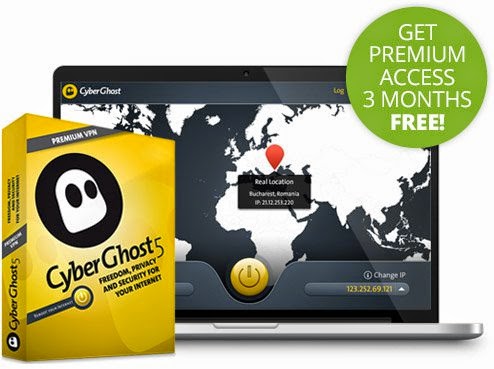
Get Free CyberGhost 5 Premium VPN Giveaway

Download Free CyberGhost 5 VPN Software With Free Keys From Official Website. Cyberghost 5 is the VPN that makes privacy simple and accessible. CyberGhost 5 VPN offer you 3 months Premium for FREE.


Get Free CyberGhost 5 Premium VPN Giveaway 

HERE

HOW TO BE ELIGIBLE FOR AIRTEL 4GB AND 9GB DATA PLAN

Unfortunately, It’s not everyone that fall in love with Airtel network. I have used it over and over again and I love it for the speed of accessing the internet  and doesn’t zap my data on PC. I know many still want to sub for the airtel Android 1+1 package but are not eligible for this offer which is so super annoying. It sounds too good to get 9Gb for #3,500 or 4GB for #2k and it will last you for 2months.


Those of you using PC, just go to your computer and disable window updates completely; set it to no update. I don’t know what your system want to update to… abi is it to window 9.5?..lol

Any way, this post is majorly put up for those who want to subscribe for Airtel 2in1 Android package but are not eligible for the offer. Just follow me carefully and I bet we’ll arrive at a safe destination

How Can I be Eligible For Airtel Android 2in1 Offer?

I got this from a colleague and it has got some individuals eligible for the Airtel 1+1 offer; so you too should be eligible after trying it.
==>Send a simple message to this number 08022266653 e.g “kindly make my number 080*** to be eligible for 1+1 offer. Or type a short message and you’ll be sent an eligible text message.
Atleast this offer will suite the Airtel diehard fans. Give it a try and enjoy your luck.
==> Secondly, You can contact the customer care and request for it too

But remember, it works on all device.


GET 700MB FREE ON MTN

This information is for my Nigerian Blog Readers Only 

FREE BROWSING SETUP AS OF 18TH OF SEPTEMBER 2014


Phone Users should always check our section for Phones Here


GET 700MB ON YOUR MTN LINE AND DOWNLOAD WITH IT FOR 1 DAY
ANDROID USERS

You will appreciate the value of having multiple Mtn Sim cards. Follow the below steps to get free 700MB  from your MTN sim.

Dial *662*6# and subscribe for all the plan you see there i.e from jumia to easy taxy (monthly trial) each monthly trial you subscribe to gives you 100mb and they are 7 in numbers...giving you 700MB in total

The 700mb can only work with this site www.jumia.com.ng.

Meaning that aside of the above site, it won’t work.


So if you already have Simple server, open it or download it here (simpleserver for android users)


Same thing goes with openvpn or download the ovpn here  (for android users) and config file  here


For simple server: Open it and replace anywhere you see 0.facebook.com  or blackberry.com with jumia.com 


FOR SYSTEM USERS
Download SS.exe  or follow this link here to set it download; and  set your browser to manual proxy to 127.0.0.1 port 8080 (don't forget to replace anywhere you see 0.facebook.com with jumia.com)

Finally, this 700mb will only allow you once for a life time since its trial; so if you have more sims, keep repeating the same process to keep enjoying free 700MB.

Remember to use ip: 127.0.0.1 and port: 8080 on your browser or other apps

Enjoy and post your questions here if you have any

ETISALAT DATA BUNDLE PLANS

Note: Please do visit here for changes on the Etisalat Network Data Plans....


S/N
Plans
Price(=N=)
USSD Code
SMS Keyword to 229
1
Daily 10MB
100
*229*3*1#
MI1
2
Weekly 50MB
500
*229*3*4#
MI2
3
200MB
1,000
*229*2*1#
MB2
4
500MB
2,000
*229*2*2#
MB3
5
1.5GB
4,000
*229*2*4#
MB4
6
Night & Weekend
4,000
*229*3*3#
MB7
7
3GB
6,500
*229*2*3#
MB5
8
6GB
8,000
*229*2*5#
MB6
9
10GB
10,000
*229*4*1#
SM1
10
15GB
15,000
*229*4*2#
SM2
11
20GB
18,000
*229*4*3#
SM3
  • Our new pay as you use rate is now 5 kobo/per kb
  • Check your data balance anytime – just dial *228#